
About Drawquarium
Before you buy

Before spending your money, please try the free demo! The response has been wonderful, but Drawquarium isn't for everyone. The demo gives you a good idea of the core experience, with more content and unlockable features waiting in the full game. If you enjoy the demo, you'll probably enjoy the full game too!
☝️ Especially if you have older hardware, please try the demo first!
Minimum Hardware Requires:
Requires a 64-bit processor and operating system
Processor: Quad-core Intel i5-8400 / AMD Ryzen 5 1600 (or equivalent)
Memory: 8 GB RAM
Graphics: NVIDIA GTX 1060 / AMD RX 580 (6 GB VRAM)
✅ Drawquarium IS for you if you...
Love cozy, relaxing games. No pressure, no stress.
Enjoy being creative. Draw fish, plants, and decorations (or whatever you want), and watch them come to life. No artistic skills needed!
Want a living desktop wallpaper. Enjoy your aquarium while working, watching a show, or listening to a podcast.
Like light progression. Unlock new things and gradually expand your aquarium.
Enjoy sharing creations. Show your fish and aquariums to friends and the community.
Appreciate handmade indie games. This is my very first game, made with lots of love.
❌ Drawquarium is NOT for you if you...
Expect Photoshop. I'm one developer. The drawing tools are simple by design. You can always import PNG artwork from your favorite drawing software.
Want action or excitement. No combat, no explosions. Think of Drawquarium as the opposite of GTA 😄.
Expect deep progression or endless grinding. There are things to unlock, but no loot boxes, complicated upgrade systems, or endless rewards.
Need constant goals. Drawquarium is a creative sandbox, not a game that constantly tells you what to do.
Expect a huge AAA production. This is a small passion project made by one person.
About the Game
Hi, I'm Kaleb! I work as a 3D artist in the film industry, but my heart kept pulling me toward a small, very personal game idea. One of the reasons I started developing this game was that I wanted to bring my children’s drawings to life 💖.
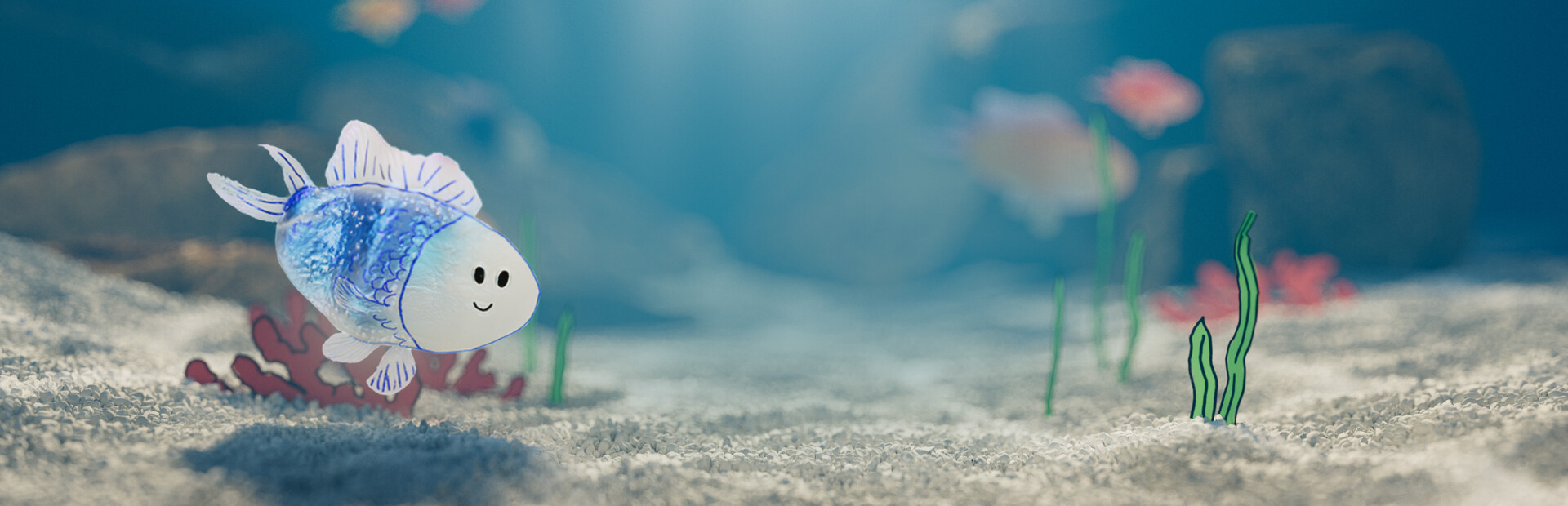
Drawquarium is a relaxing aquarium sandbox where your drawings come to life! Draw your own fish and plants, feed them, raise them, and collect golden fish scales to unlock new decorations and tools. Create your own cozy little underwater world and bring it to your desktop as an animated wallpaper!
And don't worry, you don't have to be an artist to create something beautiful! You can always choose from a variety of ready-made fish and simply enjoy watching your little aquarium come to life.

Draw Your Own Fish COMPANIONS
Draw anything you want and watch your creations come to life inside your aquarium. Start with simple shapes, use templates for a little inspiration, or get as creative as you like. There are no rules, just you and your imagination!

When you place new creatures in your fish tank, they will interact with the others, forming friendships, rivalries and even relationships. They can become enemies and quibble or find their soulmate and have cute little babies 🥰.

Decorate With Your Own Plants
Any decent aquarium will need an abundance of thriving plants. Create the perfect habitat by drawing your own vegetation and placing it wherever you want. Of course, if you’d rather be drawing sea mines or skyscrapers… Who are we to stop you?

Wallpaper mode!
Miss your babies whenever you go and close the game? Simply turn on the Desktop Wallpaper Mode and all of your creations will stay right there with you. Whether you’re crunching numbers for the boss or browsing a forum, you can observe, feed and play with your fish right there on your desktop.

Unlock Limitless Customization
Change the way the sand looks, customize the lighting, and place decorative rocks, driftwood and more. Your aquarium is a tiny living world, filled with creatures made and cared for by you.

Your Cozy Little Space to Focus & Unwind
Journal your thoughts, organize your day with a task manager, or use the timer to stay focused. Customize your clock and set your aquarium as an animated desktop wallpaper, so your little fish friends can keep you company while you work, study, or simply unwind.

Upload Your Own Drawings
Upload any PNG image and watch it become part of your aquarium! Whether it's your kid's latest masterpiece or something you created yourself.

Visit anytime
for a gentle, mindful break
♥

This text comes straight from the game's store page and is pulled in automatically. We don't write or edit it, so it may contain spoilers.
System requirements
- Min
- Windows 10 64bit
- Rec
- Windows 10 64bit
- Min
- Quad-core Intel i5-8400 / AMD Ryzen 5 1600 (or equivalent)
- Rec
- Quad-core Intel i5-8400 / AMD Ryzen 5 1600 (or equivalent)
- Min
- 8 GB RAM
- Rec
- 8 GB RAM
- Min
- NVIDIA GTX 1060 / AMD RX 580 (6 GB VRAM)
- Rec
- NVIDIA GTX 1060 / AMD RX 580 (6 GB VRAM)
- Min
- Version 12
- Rec
- Version 12
- Min
- 700 MB available space
- Rec
- 700 MB available space
- Min
- DirectX compatible sound card
- Rec
- DirectX compatible sound card
These are the developer's listed requirements and may not be 100% accurate. If your specs fall below the minimum, try the game anyway; many games run fine below the listed requirements. When in doubt, check YouTube for performance benchmarks.
How to install Drawquarium
Drawquarium is a pre-installed PC game, currently at Build 26817297, 706.0MB. Updated Nov 2026.
- Download every part from one mirror and save them in the same folder.
- Extract the first archive with 7-Zip or WinRAR. The rest unpack automatically.
- Open the extracted folder and run the game's .exe. No installer is needed.
- Pre-installed means the game is ready to play after extracting. Nothing to set up.
Download
Download the files from any mirror below. All parts are needed. Save them to the same folder, then extract the first one.
We don't accept fix requests when only one host is down. Please use another mirror above. Links broken? Let us know.
We never password-protect files or hide installers. If a page asks for a password or payment, that is the host's ad, not us. See our safety guide.