
Lucid Blocks Free Download


Surreal, ethereal, and liminal environments
Infinite procedural generation, both vertically and horizontally
Cities made of plastic, serene fields of grass, and massive abandoned warehouses
Lovely entities and critters to meet scattered throughout your dreams

Fend against fiendful foes like manikins, squishy gels, higher-dimensional beings, and colossal spiders
Wield grappling hooks, bee gliders, bombs, ball wands, blades, haze hands, and cute accessories
Craft freely with the unrestricted item fusion system (apotheosis):
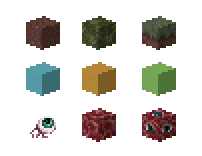

Build anything in a voxel sandbox using dozens of beautiful blocks and dynamic lights
Summon friendly bubblebears, kodama, and fruit femmes to fill the void
Share your creations with other dreamers in the firmament
Overview of Lucid Blocks
Lucid Blocks is a minimalist puzzle game designed for PC that challenges players to arrange colorful blocks to clear the board. Build 25451214 represents a stable release that fixes previous bugs and optimizes performance for modern Windows systems. The game focuses on spatial reasoning and pattern recognition, offering a relaxing yet engaging experience without complex controls or steep learning curves. It is free to download and does not require an account to start playing, making it accessible for a wide range of users.
Installation and System Compatibility
To install Lucid Blocks, extract the downloaded archive and run the executable file directly. The game is lightweight and runs smoothly on most PCs with Windows 7, 8, 10, or 11 (64-bit). Unlike heavy AAA titles, it does not demand high-end graphics cards or extensive storage space. Ensure that your anti-virus software does not flag the portable file as a false positive, which is common with unsigned executables. Once launched, the game saves progress automatically to local files, so no manual save management is required.
Gameplay Tips for Efficiency
Success in Lucid Blocks relies on planning several moves ahead. Prioritize clearing lines that free up central space, as this allows for more flexible block placement later. Avoid creating isolated pockets where blocks cannot be cleared, as this leads to quick game overs. Practice different configurations to understand how specific block shapes interact with the grid. The game’s difficulty scales gradually, so patience and consistent practice are key to advancing through higher levels. Regularly check for community-shared strategies to stay ahead of tricky patterns.
Lucid Blocks – Windows & macOS Desktop Technical Guides
Need Windows 10/11 (x64) or macOS (Apple Silicon M1–M4 / Intel) compatibility specs, installation steps, or troubleshooting fixes for Lucid Blocks? Explore our dedicated desktop sub-guides:
- Lucid Blocks Windows & macOS System Requirements
- How to Install Lucid Blocks (Windows & Mac Setup)
- Lucid Blocks Startup Crash, DLL & Permission Fixes
- Lucid Blocks Latest Build Changelog & Patch Notes