Pentiment ((7.10.2025 Crash on Startup, Missing DLL, Gatekeeper & Launch Error Fix (2026)
Quick Fix for Pentiment ((7.10.2025 Crashes & Launch Errors: Over 90% of startup crashes, missing DLL errors on Windows, and Gatekeeper prompts on macOS in Pentiment ((7.10.2025 ((7.10.2025 | Build 20280421)) are resolved by installing vc_redist.x64.exe, whitelisting the folder in Windows Security (or running xattr -cr on Mac), and launching as Administrator.
→ Download Clean Verified Build of Pentiment ((7.10.2025 ((7.10.2025 | Build 20280421))
Common Pentiment ((7.10.2025 Desktop Errors & Proven Solutions
| Issue / Error Message | Root Cause | Step-by-Step Fix |
|---|---|---|
| Crash on Startup / Silent Exit (Windows) | Missing Visual C++ Runtime or Admin privileges | Install VC++ 2015–2022 (x86 & x64) and enable Run this program as an administrator. |
| Missing MSVCP140.dll / VCRUNTIME140.dll | Corrupted Microsoft C++ runtime libraries | Reinstall the official Microsoft Visual C++ Redistributable package and reboot your PC. |
| Missing steam_api64.dll / Activation DLL | Windows Defender quarantined the offline loader | Open Windows Security → Protection History, restore the file, and whitelist the folder. |
| "App Is Damaged and Can't Be Opened" (macOS) | macOS Gatekeeper quarantine flag | Run sudo xattr -rd com.apple.quarantine "/Applications/Pentiment ((7.10.2025.app" in Terminal. |
Related Guides: Main Download Page | Installation Guide | System Requirements
Pentiment ((7.10.2025 – Windows 10/11 & macOS Configuration, Preset & Save Data Paths
When backing up user profiles, presets, or local save data between a Windows Desktop workstation and a MacBook Pro/Studio for Pentiment ((7.10.2025 ((7.10.2025 | Build 20280421)), check these default desktop directories:
| Desktop Platform | Default User Data / Config / Preset Directory | Backup & Migration Notes |
|---|---|---|
| Windows 10 / 11 (x64) | %APPDATA%\{Pentiment_7102025}\ or %USERPROFILE%\AppData\LocalLow\{Pentiment_7102025}\ | Back up this folder before installing a newer version or resetting preferences. |
| macOS (Apple Silicon M1–M4 / Intel) | ~/Library/Application Support/Pentiment_7102025/ & ~/Library/Preferences/ | Use Cmd + Shift + G in Finder to open hidden Library paths directly. |
Release Metadata Summary – Pentiment ((7.10.2025
- Title / Package: Pentiment ((7.10.2025
- Verified Build Version: (7.10.2025 | Build 20280421)
- Archive Size: 7.3 GB
- Category: Game
- Target Desktop OS: Windows 10/11 (64-bit) & macOS Desktop (Apple Silicon M1/M2/M3/M4 & Intel)
- Primary Download Hub: Download Pentiment ((7.10.2025 ((7.10.2025 | Build 20280421)) Full Desktop Build
Frequently Asked Questions – Pentiment ((7.10.2025 ((7.10.2025 | Build 20280421))
Is Pentiment available for free download on 7.10.2025?
The link provided offers the Pentiment Free Download version. Please ensure your system meets the minimum requirements and follow the installation instructions carefully to begin playing this narrative mystery.
What is the main storyline of Pentiment?
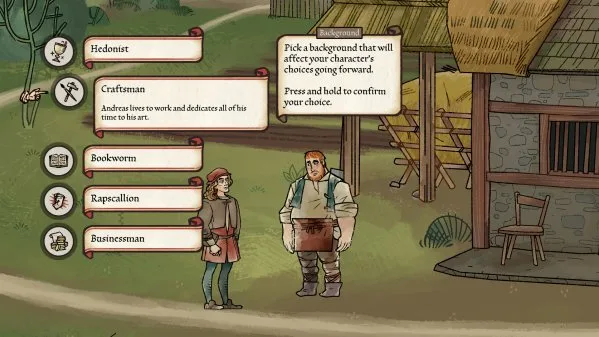
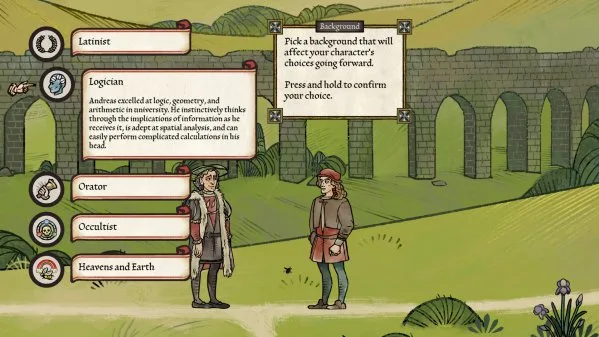
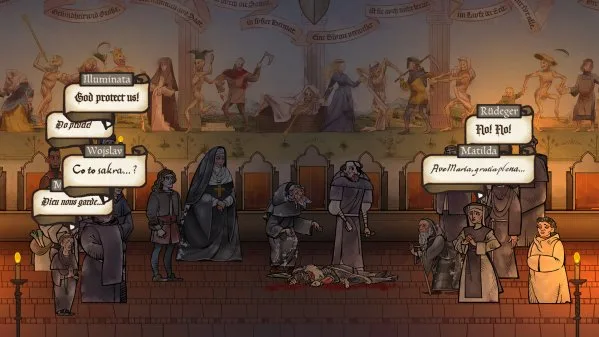
Pentiment follows Andreas Maler, an illustrator in 16th-century Bavaria, as he investigates a series of murders in Tassing and Kiersau Abbey. Your choices over 25 years will shape the community's fate and reveal a larger conspiracy.
Does the player's choice affect the ending in Pentiment?
Yes, Pentiment is a choice-driven game. Your decisions regarding the investigation and community interactions have lasting consequences, influencing the outcome and the future of the characters you encounter.
Screenshots